
Reservation Sources
Where a booking came from, and the commission you pay for it.
A reservation source answers where did this booking come from — Booking.com, Agoda, Expedia, a phone call, someone at the desk. Every reservation carries one, and each source carries the commission you pay on it.
That pairing is the point. It is what turns we took 200 bookings last month into we took 200 bookings and paid 15% on 140 of them.
Opening the page
- Open Settings from the left sidebar.
- Choose the Reservation Sources tab.
What is on the page
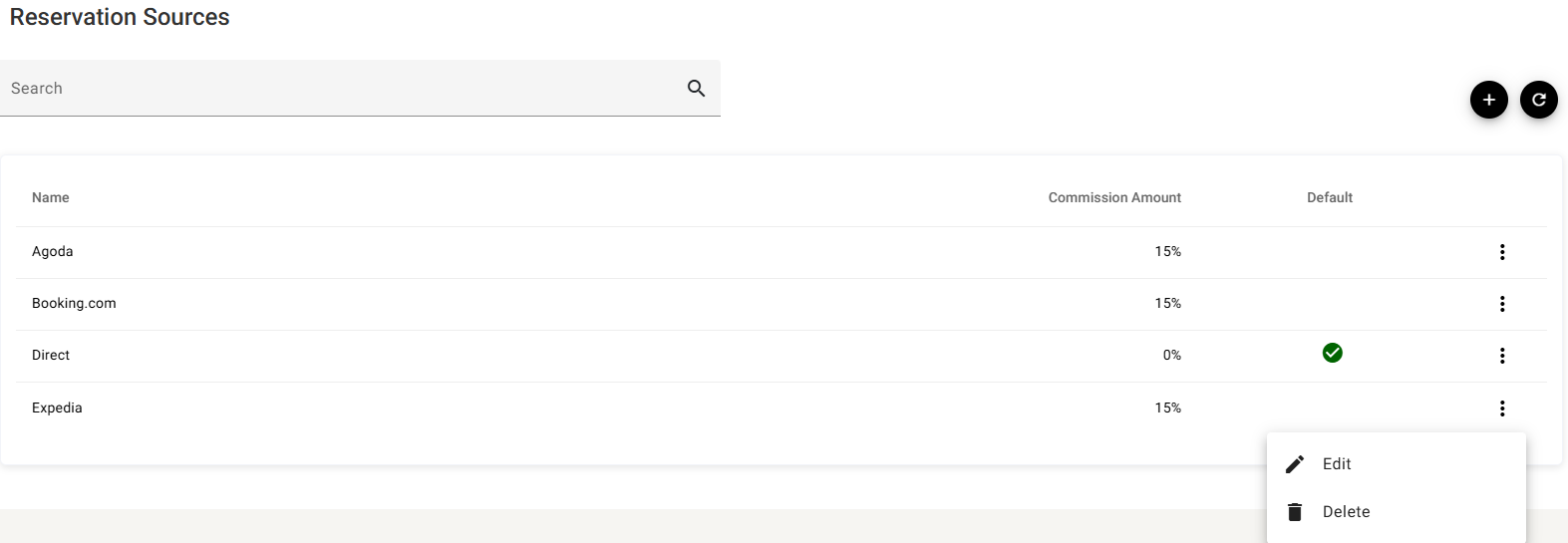
| Column | What it shows |
|---|---|
| Name | What the source is called. |
| Commission Amount | The percentage you pay on bookings from it. Direct business is normally 0%. |
| Default | A green tick on the one source applied when nothing else is chosen. |
Search narrows the list, + adds a source, ⟳ reloads. The ⋮ at the end of a row offers Edit and Delete.
Adding or editing a source
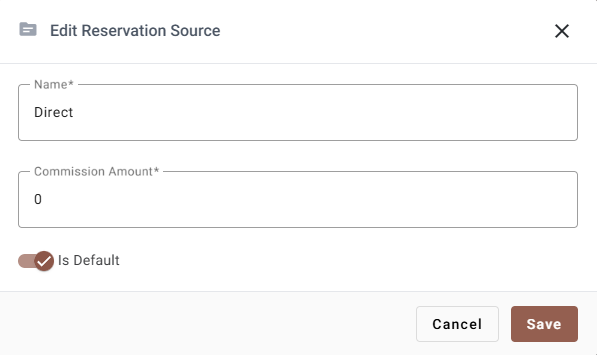
| Field | Required | What it does |
|---|---|---|
| Name | Yes | Between 2 and 100 characters, not just spaces, and it must not already exist — a duplicate is refused with Name already exists. |
| Commission Amount | Yes | A percentage between 0 and 100. Not an amount of money — 15 means 15%, not ฿15. Use 0 for business that costs you nothing. |
| Is Default | — | See below. |
The default source
The source marked Is Default is the one a reservation gets when nothing else sets it — a walk-in typed in at the desk, a phone booking, anything created by hand.
It should be whichever source costs you least, because it is the one that will be applied by accident. Most properties make Direct the default, at 0%.
Bookings arriving through the channel manager bring their own source with them and never fall back to the default.
Deleting a source
Delete on the ⋮ menu removes the source.
Reservations already recorded against it are what make this worth thinking about: a source with history behind it is better left alone, even if you have stopped selling through that channel. Setting its commission correctly matters more than tidying the list.
If something does not work
| What you see | Why |
|---|---|
| “Name already exists” | A source with that name is already in the list. Search for it. |
| The commission will not go above 100 | It is a percentage. There is nothing above 100%. |
| A new booking got the wrong source | It was created by hand and picked up the Is Default source. Check which one carries the tick. |
| Commission looks wrong on a report | The figure here is a percentage, applied as bookings are taken — changing it now does not go back and change bookings already made. |