
Channel manager connection
The Channex link: availability and rates out, bookings in, and reading the logs.
The channel manager connects SupremeStay to the online travel agents you sell through. SupremeStay uses Channex for this: your availability and rates go out to the channels, and bookings come back in as reservations.
It is configured in Settings → Channel manager.
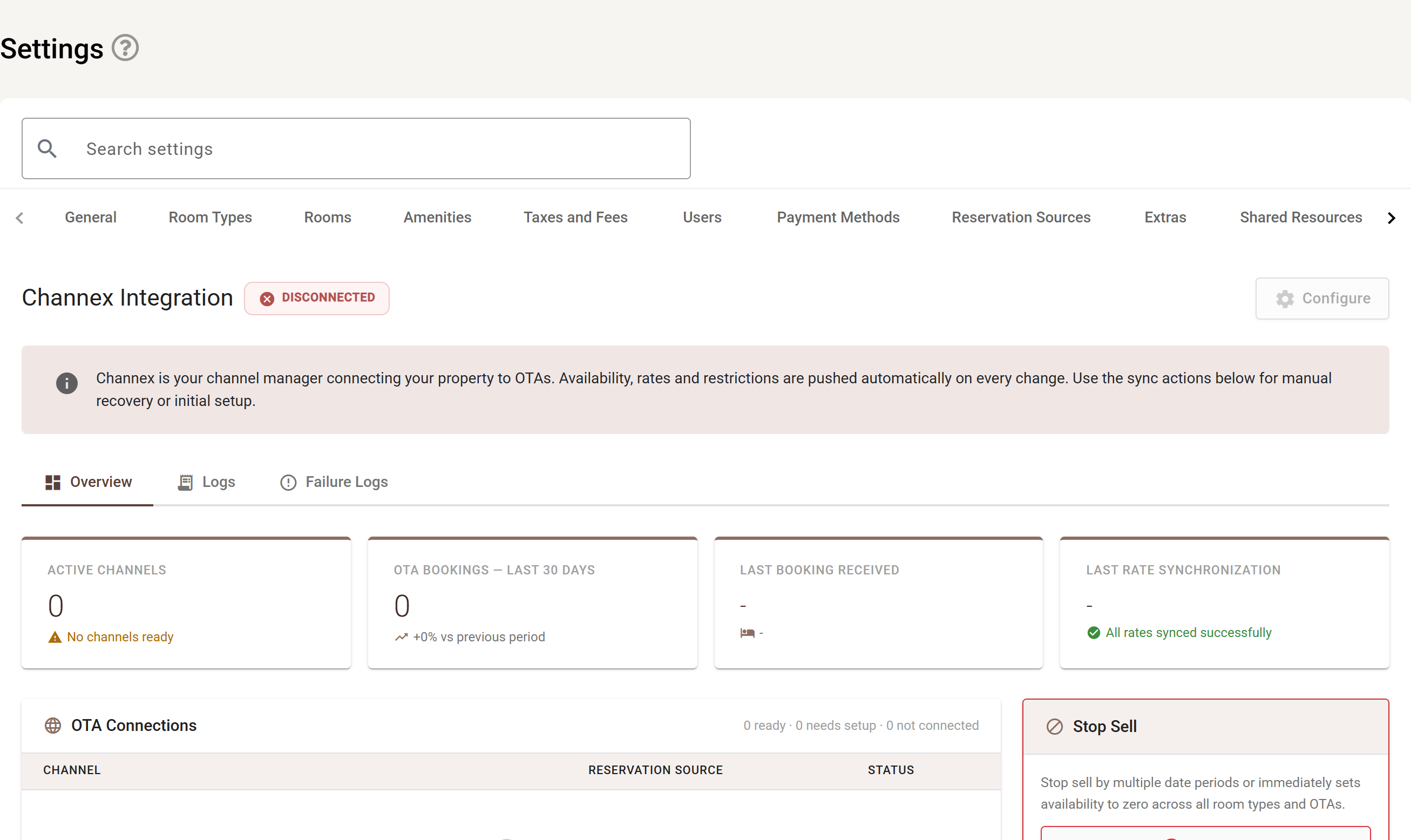
The badge next to Channex Integration is the headline: DISCONNECTED as shown above, or connected once Channex is set up. Configure in the top right is greyed out until there is a connection to configure.
The three tabs — Overview, Logs, Failure Logs — are described below.
Overview
The overview tells you whether the link is healthy:
- Status — Ready, Needs setup or Not connected.
- Last booking received — when a reservation last arrived from a channel. A date that has stopped moving is the first sign something is wrong.
- Last rate synchronisation — when rates and availability last went out.
- Active channels — the channels currently connected, and whether each one is active.
- Manage in Channex — opens Channex itself, where the channels are actually connected.
Configuration
Configure holds the settings that govern how bookings arrive:
- Channex property ID and integration reference — which Channex property this is.
- Auto assign room — whether an arriving booking is given a room number automatically or left in the holding area for you to assign.
- Rates days in advance — how far ahead rates and availability are pushed.
Reservation source mapping
Each channel has to map to one of your reservation sources. Reservation source mapping is where that is set, and it is what makes your source reports meaningful — an unmapped channel shows as Not mapped in Channex and its bookings cannot be attributed.
Stop sell
Stop sell halts all sales for the property across every channel, for a date range you choose. While it is on, the page states plainly that sales are stopped. Resume selling turns it off.
Logs
Two lists, and they are where you look when a booking did not arrive or a rate did not go out.
Logs — everything that has passed through the link:
| Column | Meaning |
|---|---|
| Time | When it happened. |
| Type | What kind of message it was. |
| Event | The specific event. |
| Detail | The payload or outcome. |
Failure logs — only what went wrong:
| Column | Meaning |
|---|---|
| Timestamp | When it failed. |
| Operation | What was being attempted. |
| Endpoint | Where it was sent. |
| Error | What came back. |
| Status | Whether it has since succeeded. |
| Retries | How many attempts have been made. |
| Priority | How urgent the retry queue considers it. |
Retry re-attempts a failed operation. If the same operation keeps failing with the same error, fix the cause — usually a mapping — before retrying again.