
Quick check-in and check-out
Arriving and departing guests in bulk from the dashboard, and the no-show button.
Most arrivals and departures do not need the reservation opened at all. The Dashboard groups today’s work into panels, and each panel can act on several reservations at once.
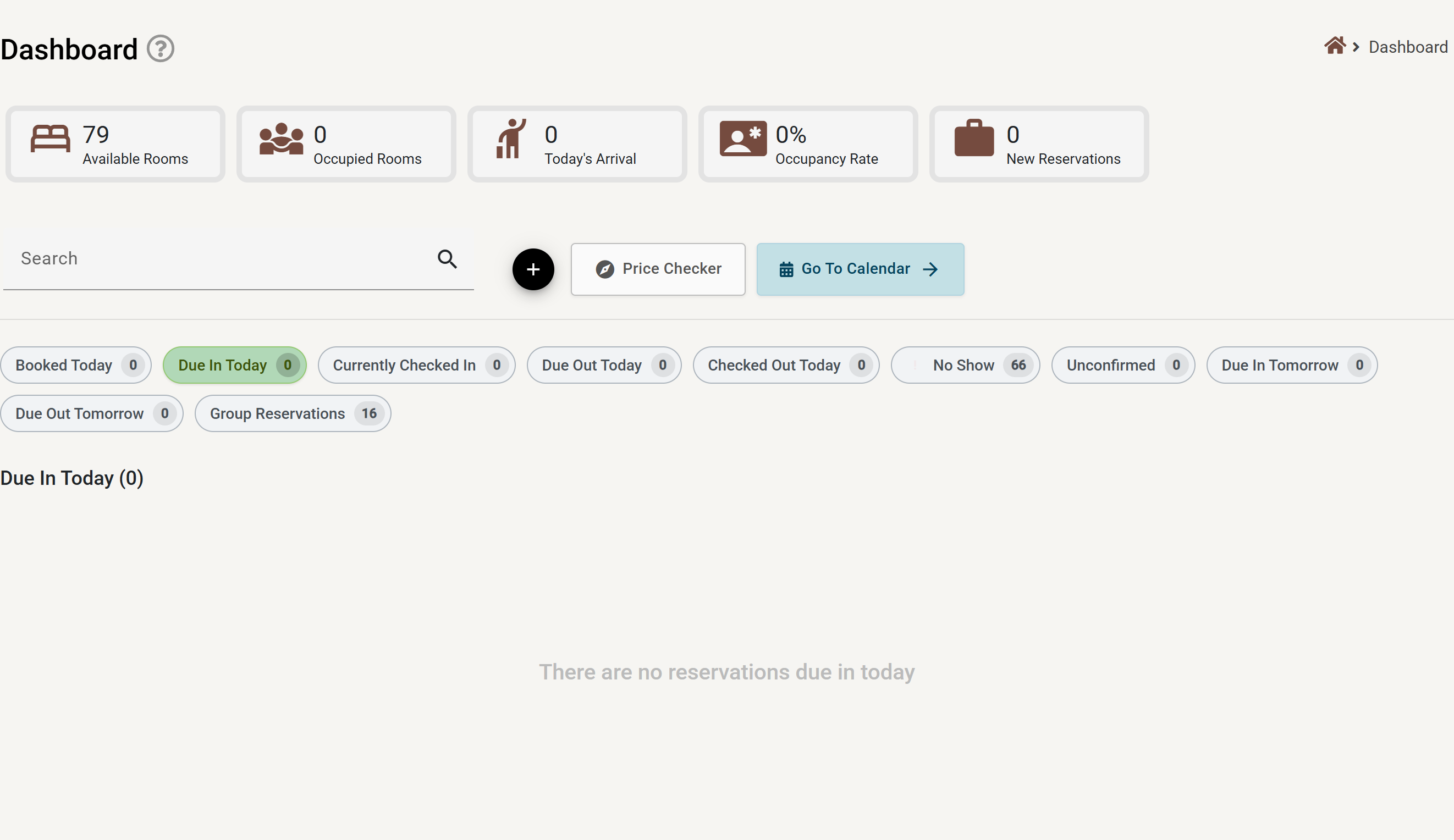
The panels
| Panel | What is in it |
|---|---|
| Due in today | Booked guests scheduled to arrive today. |
| Due in tomorrow | The same, a day ahead — useful for preparing rooms. |
| Currently checked in | Everyone in house. |
| Due out today | Guests scheduled to leave today. |
| Due out before today | Overdue departures — guests who should already have left. |
| Due out tomorrow | Tomorrow’s departures. |
| Checked out today | Departures already completed. |
| Booked today | Reservations created today, whenever they arrive. |
| Unconfirmed | Requests still being held — see Booking requests. |
| No-show | Guests who never arrived. |
| Group reservations | Today’s group bookings — see Group reservations. |
Checking several guests in at once
- Open the Due in today panel.
- Select all, or tick the individual reservations you want.
- Check in all.
Departures work the same way from Due out today with Check out all. Unselect all clears the selection if you picked the wrong ones.
No-shows
A guest who never arrived is marked with the No-show button on their reservation in the due-in panel. Set no-show closed then closes the reservation off once you have decided how to treat it. No-shows appear on the End of day report so nothing is quietly lost.
What happens behind the scenes
- If Automatically set checked-in rooms as dirty is on in Settings → General, checking a guest in immediately marks the room dirty for housekeeping.
- Staff subscribed to the Check in and Check out events are notified.
- The status change is recorded in the activity log against whoever did it.
Moving a reservation backwards
Normally statuses only move forwards: Booked → Due in → Checked in → Due out → Checked out. Allow unsafe status transitions in Settings → General lets staff move a reservation out of that order — for example, undoing a check-out done by mistake. Leave it off unless you need it.