
Guest ratings
The questions guests are asked after their stay, and where the answers land.
Rating Questions is the list of questions a guest is asked after their stay. Each one is a single question they answer with a score, and the answers come back in Ratings reports.
The page is a plain list — a question is only its text. There is no scale to set, no ordering, no category: the whole design decision here is which questions to ask, and how few.
Opening the page
- Open Settings from the left sidebar.
- Choose the Rating Questions tab.
What is on the page
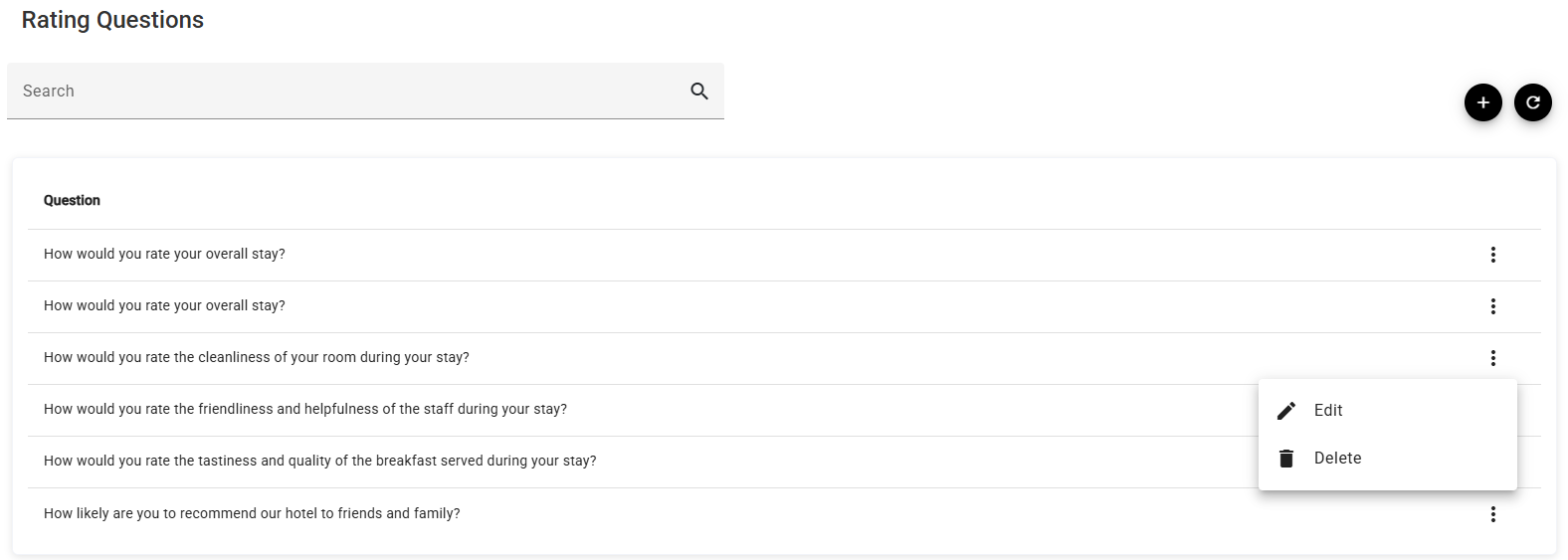
There is a single Question column. Search narrows the list, + adds a question, ⟳ reloads, and the ⋮ at the end of a row offers Edit and Delete.
Adding or editing a question
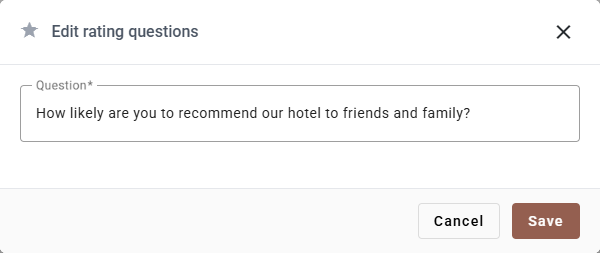
| Field | Required | What it does |
|---|---|---|
| Question | Yes | The wording the guest reads. It cannot be blank or only spaces. |
Save applies it; Cancel and ✕ discard.
Because there is nothing else to configure, the wording carries all the weight:
- Ask about one thing. How would you rate the cleanliness of your room? can be acted on. How was your room and the service? cannot — a low score does not say which.
- Keep the direction consistent. If high always means good, a report of averages reads at a glance. One reversed question ruins that.
- Write it the way you would say it. The guest is on a phone, probably at checkout.
How many to ask
Every question you add is one more thing between a guest and finishing the survey, and response rates fall as the list grows. Four or five that you will genuinely act on beat a dozen that nobody reads.
A workable set is: the overall stay, cleanliness, staff, one thing specific to your property (breakfast, the pool, the location), and whether they would recommend you.
Editing a question later
Editing changes the wording from that point on. Answers already given stay attached to the question they were given against, so the report keeps working.
But a meaning change is different from a wording change: turning How was breakfast? into How was dinner? leaves months of breakfast scores filed under a question that now says dinner. Rewording for clarity is safe; changing the subject is better done by deleting and adding a new one.
Deleting a question
Delete on the ⋮ menu removes the question from future surveys.
Think about the answers already collected against it before you do — if you want the history in Ratings reports to stay readable, it is usually better to leave an old question in place and simply stop worrying about it.
Where the answers go
Guests answer through the guest app, and the results are summarised in Ratings reports — overall averages, and breakdowns by guest country and by length of stay.
If something does not work
| What you see | Why |
|---|---|
| The same question appears twice | It was added twice. Nothing prevents it; delete one of them. |
| The question is refused | It is empty or nothing but spaces. |
| A question does not appear in a report | No guest has answered it yet. Reports only show questions with answers. |
| Guests are not being asked at all | The survey reaches them through the guest app. Check Guest app. |
| Old answers look like they belong to the wrong question | The question was reworded into a different question. Delete and add instead when the subject changes. |