
Transaction codes and categories
The codes every charge and payment is posted against, the categories that group them, and where they are assigned.
Every charge and payment is posted with a transaction code, so your accountant can see what each amount is: room revenue, breakfast, VAT, cash. Codes belong to transaction code categories, which say whether money is a charge or a payment and whether the hotel keeps it. You assign codes to room types, extras, taxes and payment methods, and each posting takes its code from there.
Both lists are under Settings → Accounting.
Transaction code categories
| Column | What it shows |
|---|---|
| Name | The category. |
| Type | Charge for money the guest is charged, Payment for money received. |
| Nature | For charges, Revenue is income the hotel keeps, and Pass-through is money collected for someone else, such as VAT. Payments show —. |
| Active | Whether the category is in use. |
Search finds a category by name, and the round arrow refreshes the list.
Adding a category
Press +. To change one, choose Edit in its ⋮.
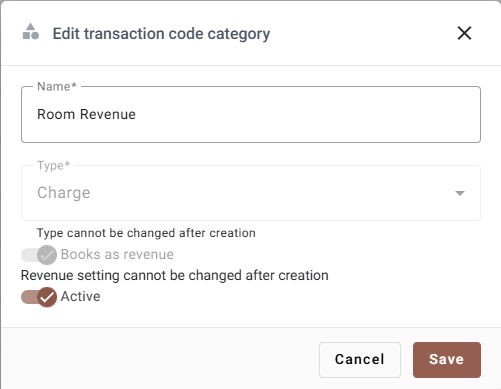
| Field | What it does |
|---|---|
| Name | Required, up to 100 characters, and not used by another category. |
| Type | Charge or Payment. Type cannot be changed after creation. |
| Books as revenue | Charges only. On for income the hotel keeps, off for pass-through money such as VAT. Revenue setting cannot be changed after creation. |
| Active | On for new categories. |
⋮ also has Move Up, Move Down and Delete. A category can only be deleted when it has no codes.
Transaction codes
| Column | What it shows |
|---|---|
| Code | The number, with a coloured tag when the code has a role. |
| Description | What the code is for, as shown in reports. |
| Category | Its category. |
| Active | Whether it can be picked. |
Search finds a code by number, description or category.
Adding a code
Press +.
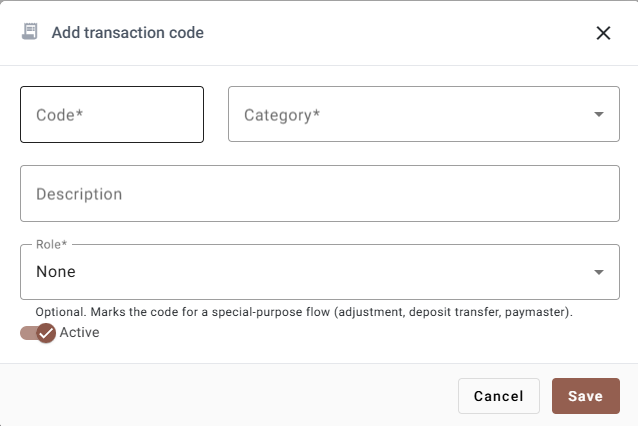
| Field | What it does |
|---|---|
| Code | Required, digits only, up to 10, and not used by another code. |
| Category | Required. |
| Description | Optional, up to 200 characters. |
| Role | Optional. Marks the code for a special-purpose flow (adjustment, deposit transfer, paymaster). None for most codes. Adjustment is used automatically when a posted charge is reduced, for example when an extra’s quantity goes down. A property can have one Adjustment code. Deposit transfer and Paymaster are only labels for now. Role cannot be changed after creation. |
| Active | Turn it off to stop the code being picked. Codes that are already assigned keep working. |
Changing a code
Choose Edit in the code’s ⋮.
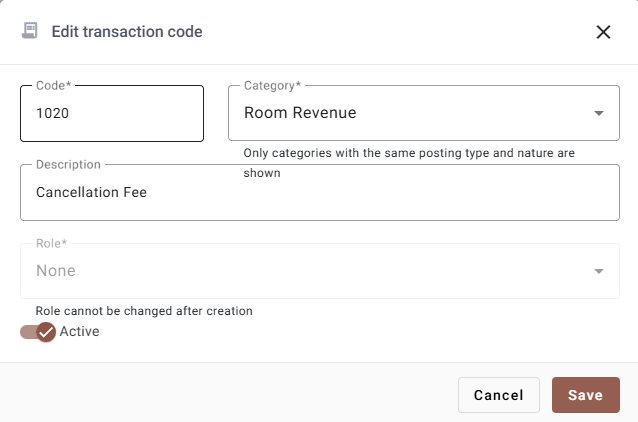
- The Code cannot be changed once charges or payments have been posted with it. Deactivate it and create a new one instead.
- Category only lists categories with the same type and nature: Only categories with the same posting type and nature are shown.
- Move Up and Move Down change the order within the category.
- Delete is refused when the code has been posted, or is assigned to a tax, extra, room type or payment method. Remove the assignments first, or deactivate the code.
Where codes are used
| Assigned to | Code needed | Posted on |
|---|---|---|
| Room types | A revenue charge code | Each room night. |
| Extras | A revenue charge code | Each extra charged. |
| Taxes and fees | A charge code: pass-through for a tax, revenue for a fee | Each tax line. |
| Payment methods | A payment code | Each payment. |
Coupon discounts and restaurant charges are posted without a code.