
Special requests
Quick tags for allergies and requests that staff add to a dish when taking an order.
Special requests are ready-made tags — an allergy, Vegan, No ice — that staff add to a dish with one click instead of typing them. On the Restaurant page they appear as buttons in Add Item, and clicking one adds its text to the dish’s comment for the kitchen.
Open Settings → Point of Sale (POS) → Special Requests → Manage.
| Column | What it shows |
|---|---|
| Label | The text of the tag. |
| Active | Whether it is offered in Add Item. |
Adding or changing a request
Press + to add one, or Edit in the ⋮ of a row.
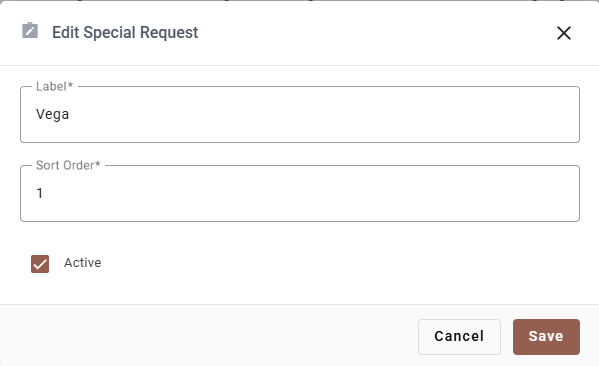
| Field | What it does |
|---|---|
| Label | Required, and not used by another request. Keep it short: a dish’s comment holds 70 characters, tags included. |
| Sort Order | The position of the button in Add Item. |
| Active | Untick to stop offering it without deleting it. New requests are active. |
The ⋮ of a row also has Move Up, Move Down and Delete.
Related articles
Still stuck? Email support@supremestay.com Back to Restaurant & POS